快捷搜索:   服务器  安全  linux 安全  MYSQL  dedecms

Nginx负载均衡搭建胜过Apache十倍(2)

输入以下内容:

kernel.shmmax = 134217728

然后执行以下命令使配置生效:

/sbin/sysctl -p

7、创建www用户和组,以及供blog.s135.com和www.s135.com两个虚拟主机使用的目录:

/usr/sbin/groupadd www -g 48
/usr/sbin/useradd -u 48 -g www www
mkdir -p /data0/htdocs/blog
chmod +w /data0/htdocs/blog
chown -R www:www /data0/htdocs/blog
mkdir -p /data0/htdocs/www
chmod +w /data0/htdocs/www
chown -R www:www /data0/htdocs/www

8、创建php-fpm配置文件(php-fpm是为PHP打的一个FastCGI管理补丁,可以平滑变更php.ini配置而无需重启php-cgi):

在/usr/local/webserver/php/etc/目录中创建php-fpm.conf文件:
rm -f /usr/local/webserver/php/etc/php-fpm.conf
vi /usr/local/webserver/php/etc/php-fpm.conf

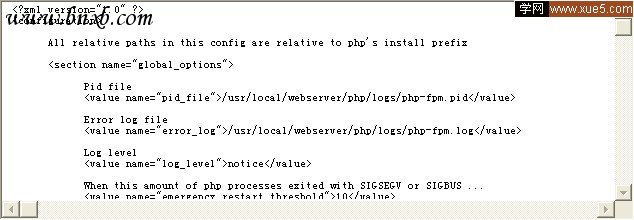
输入以下内容(如果您安装 Nginx + PHP 用于程序调试,请将以下的<value name="display_errors">0</value>改为<value name="display_errors">1</value>,以便显示PHP错误信息,否则,Nginx 会报状态为500的空白错误页):

All relative paths in this config are relative to php's install prefix  

<section name="global_options">

Pid file  
<value name="pid_file">/usr/local/webserver/php/logs/php-fpm.pid</value>

Error log file  
<value name="error_log">/usr/local/webserver/php/logs/php-fpm.log</value>

Log level  
<value name="log_level">notice</value>

When this amount of php processes exited with SIGSEGV or SIGBUS ...  
<value name="emergency_restart_threshold">10</value>

... in a less than this interval of time, a graceful restart will be initiated.  
Useful to work around accidental curruptions in accelerator's shared memory.  
<value name="emergency_restart_interval">1m</value>

Time limit on waiting child's reaction on signals from master  
<value name="process_control_timeout">5s</value>

Set to 'no' to debug fpm  
<value name="daemonize">yes</value>

</section>

<workers>

<section name="pool">

Name of pool. Used in logs and stats.  
<value name="name">default</value>

Address to accept fastcgi requests on.  
Valid syntax is 'ip.ad.re.ss:port' or just 'port' or '/path/to/unix/socket'  
<value name="listen_address">127.0.0.1:9000</value>

<value name="listen_options">

Set listen(2) backlog  
<value name="backlog">-1</value>

Set permissions for unix socket, if one used.  
In Linux read/write permissions must be set in order to allow connections from web server.  
Many BSD-derrived systems allow connections regardless of permissions.  
<value name="owner"></value>
<value name="group"></value>
<value name="mode">0666</value>
</value>

Additional php.ini defines, specific to this pool of workers.  
<value name="php_defines">
<value name="sendmail_path">/usr/sbin/sendmail -t -i</value>
<value name="display_errors">0</value>
</value>

Unix user of processes  
<value name="user">www</value>

Unix group of processes  
<value name="group">www</value>

Process manager settings  
<value name="pm">

Sets style of controling worker process count.  
Valid values are 'static' and 'apache-like'  
<value name="style">static</value>

Sets the limit on the number of simultaneous requests that will be served.  
Equivalent to Apache MaxClients directive.  
Equivalent to PHP_FCGI_CHILDREN environment in original php.fcgi  
Used with any pm_style.  
<value name="max_children">200</value>

Settings group for 'apache-like' pm style  
<value name="apache_like">

Sets the number of server processes created on startup.  
Used only when 'apache-like' pm_style is selected  
<value name="StartServers">20</value>

Sets the desired minimum number of idle server processes.  
Used only when 'apache-like' pm_style is selected  
<value name="MinSpareServers">5</value>

Sets the desired maximum number of idle server processes.  
Used only when 'apache-like' pm_style is selected  
<value name="MaxSpareServers">250</value>

</value>

</value>

Time limit on waiting execution of single request  
Should be used when 'max_execution_time' ini option does not terminate execution for some reason  
<value name="request_execution_timeout">31s</value>

Set open file desc rlimit  
<value name="rlimit_files">51200</value>

Set max core size rlimit  
<value name="rlimit_core">0</value>

Chroot to this directory at the start  
<value name="chroot"></value>

Chdir to this directory at the start  
<value name="chdir"></value>

Redirect workers' stdout and stderr into main error log.  
If not set, they will be redirected to /dev/null, according to FastCGI specs  
<value name="catch_workers_output">yes</value>

How much requests each process should execute before respawn.  
Useful to work around memory leaks in 3rd party libraries.  
For endless request processing please specify 0  
Equivalent to PHP_FCGI_MAX_REQUESTS  
<value name="max_requests">51200</value>

Comma separated list of ipv4 addresses of FastCGI clients that allowed to connect.  
Equivalent to FCGI_WEB_SERVER_ADDRS environment in original php.fcgi (5.2.2+)  
Makes sense only with AF_INET listening socket.  
<value name="allowed_clients">127.0.0.1</value>

Pass environment variables like LD_LIBRARY_PATH  
All $VARIABLEs are taken from current environment  
<value name="environment">
<value name="HOSTNAME">$HOSTNAME</value>
<value name="PATH">/usr/local/bin:/usr/bin:/bin</value>
<value name="TMP">/tmp</value>
<value name="TMPDIR">/tmp</value>
<value name="TEMP">/tmp</value>
<value name="OSTYPE">$OSTYPE</value>
<value name="MACHTYPE">$MACHTYPE</value>
<value name="MALLOC_CHECK_">2</value>
</value>

</section>

</workers>

</configuration>

9、启动php-cgi进程,监听127.0.0.1的9000端口,进程数为200(如果服务器内存小于3GB,可以只开启64个进程),用户为www:

ulimit -SHn 51200
/usr/local/webserver/php/sbin/php-fpm start

注:/usr/local/webserver/php/sbin/php-fpm还有其他参数,包括:start|stop|quit|restart|reload|logrotate,修改php.ini后不重启php-cgi,重新加载配置文件使用reload。

安装、配置Nginx 0.7.14

三、安装Nginx 0.7.14

1、安装Nginx所需的pcre库:

tar zxvf pcre-7.7.tar.gz
cd pcre-7.7/
./configure
make && make install
cd ../

2、安装Nginx

tar zxvf nginx-0.7.14.tar.gz
cd nginx-0.7.14/
./configure --user=www --group=www --prefix=/usr/local/webserver/nginx --with-http_stub_status_module --with-http_ssl_module
make && make install
cd ../

3、创建Nginx日志目录

mkdir -p /data1/logs
chmod +w /data1/logs
chown -R www:www /data1/logs

4、创建Nginx配置文件

①、在/usr/local/webserver/nginx/conf/目录中创建nginx.conf文件:
rm -f /usr/local/webserver/nginx/conf/nginx.conf
vi /usr/local/webserver/nginx/conf/nginx.conf

输入以下内容:


user  www www;
worker_processes 8;
error_log  /data1/logs/nginx_error.log  crit;
pid  /usr/local/webserver/nginx/nginx.pid;
#Specifies the value for maximum file descriptors that can be opened by this process.
worker_rlimit_nofile 51200;

events
{
 use epoll;
 worker_connections 51200;
}

http
{
 include mime.types;
 default_type  application/octet-stream;

#charset  gb2312;

server_names_hash_bucket_size 128;
client_header_buffer_size 32k;
large_client_header_buffers 4 32k;

sendfile on;
tcp_nopush on;

keepalive_timeout 60;

tcp_nodelay on;

fastcgi_connect_timeout 300;
fastcgi_send_timeout 300;
fastcgi_read_timeout 300;
fastcgi_buffer_size 64k;
fastcgi_buffers 4 64k;
fastcgi_busy_buffers_size 128k;
fastcgi_temp_file_write_size 128k;

gzip on;
gzip_min_length  1k;
gzip_buffers 4 16k;
gzip_http_version 1.0;
gzip_comp_level 2;
gzip_types text/plain application/x-javascript text/css application/xml;
gzip_vary on;

#limit_zone  crawler  $binary_remote_addr  10m;

server
{
listen 80;
server_name  blog.s135.com;
index index.html index.htm index.php;
root  /data0/htdocs/blog;

#limit_conn crawler  20;

location ~ .*\.(php|php5)?$
{
#fastcgi_pass  unix:/tmp/php-cgi.sock;
fastcgi_pass  127.0.0.1:9000;
fastcgi_index index.php;
include fcgi.conf;
}

location ~ .*\.(gif|jpg|jpeg|png|bmp|swf)$
{
expires  30d;
}

location ~ .*\.(js|css)?$
{
expires  1h;
}

顶(2)
踩(0)

您可能还会对下面的文章感兴趣:

最新评论

  • ^